
As a technical developer at Scaler, I often try to find ways to automate or simplify tasks. Publishing a blog post is one of those areas where the work rarely ends with the final draft. Once the copy is ready, there is still a layer of production: creating or sourcing a feature image and ensuring it fits the visual direction.
For a growing business, this manual production quickly becomes a bottleneck. A handful of posts is easy to manage, but scaling a large content archive can lead to visual inconsistency and drain design resources. If the brand later changes its art direction, the problem compounds: suddenly, hundreds of older blog images might need to be redesigned or replaced.
This experiment started from that exact problem. Could Webflow CMS help generate brand-consistent blog feature images automatically, based on the article itself and a reusable visual direction?
The idea behind the experiment
The process involves automatically populating procedurally generated images inside Webflow CMS. When a blog post is created or updated, the system uses the blog title and body text to create a visual direction for the feature image.
The image follows a default prompt structure that defines the style, rules, restrictions, and output format. Because the article content gives the system context, the result relates directly to the post instead of feeling like a generic placeholder.
Why this is useful
Someone could already open an AI image tool, paste in a blog title, and generate an image manually. However, that still leaves a significant amount of manual work: writing the prompt, downloading the image, uploading it, assigning it to the post, and trying to keep the visual style consistent across the entire blog.
In this experiment, image generation becomes a native part of the CMS workflow. The system can follow the exact required aspect ratio, avoid text inside images, use a highly specific visual style, and respond dynamically to fields already stored in Webflow.
That last part is where the workflow becomes truly practical. The Worker could be adapted to react to other CMS fields beyond just the title and body text. For example, if a blog post belongs to a specific category, the generated image could use a matching color direction. It can respond to category, date, campaign, author, industry, audience, or any other structured field in your CMS.
Three visual directions
For this experiment, I tested three distinct visual directions: neoclassical editorial paintings, contemporary architectural renders, and Bauhaus-inspired abstract compositions. Each style uses the exact same workflow, but the creative output changes based on the selected prompt system.
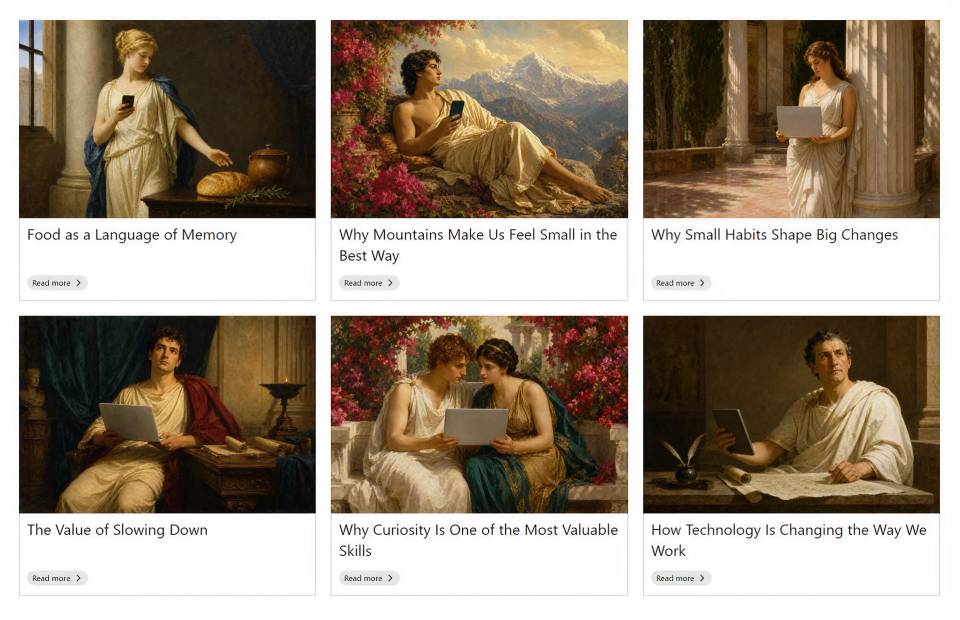
Neoclassical examples where each article is translated into a classical editorial painting with one modern object integrated into the scene.
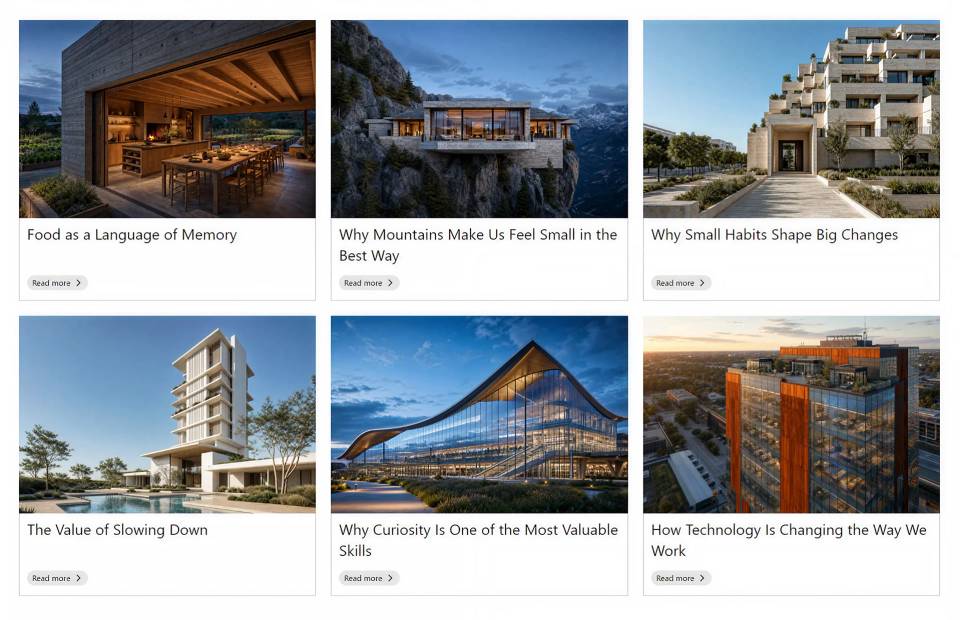
Architectural render examples generated from different blog titles using the same procedural image workflow.
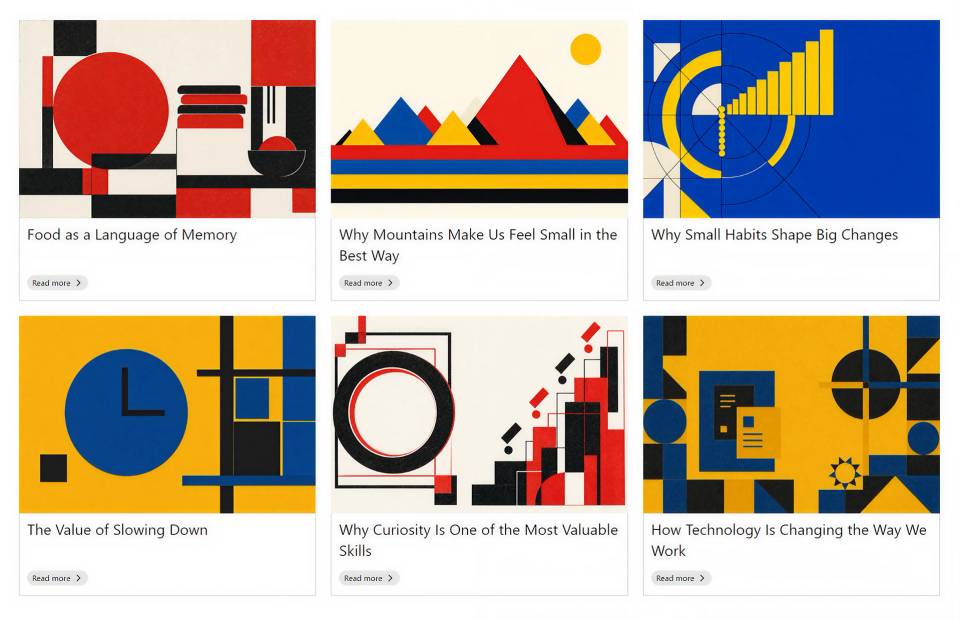
Bauhaus-inspired examples showing how the same workflow can produce a more abstract and graphic blog image system.
All three styles use the same general mechanism. The Worker handles the processing, while the visual direction lives securely in external prompt files. This makes the system reusable across entirely different art directions without ever needing to rewrite the automation workflow.
How it works under the hood
Behind the scenes, a Cloudflare Worker acts as the automation layer connecting Webflow CMS, the prompt system, image generation, and image storage. When the right CMS item changes, a Webflow webhook sends a signal to the Worker.
The Worker then runs a quick series of checks: is image generation enabled? Does the post have a title and body content? Does a feature image already exist? If the post is not ready, or if an image is already there, the process safely stops so nothing gets overwritten accidentally.
If the post is ready, the Worker reads the article, creates a short visual brief, inserts that brief into the selected prompt template, generates the image, stores it, and automatically sends the final image URL back into Webflow CMS.
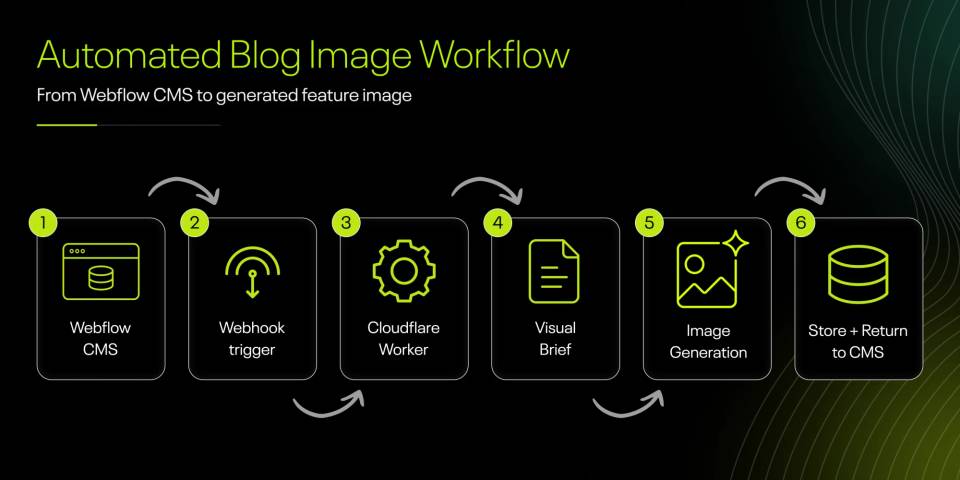
A simplified view of the process: Webflow CMS triggers the Worker through a webhook, the Worker creates a visual brief, the image is generated, stored, and sent back into the CMS.
Where this could go
This is still an experiment, and the most important part of turning it into a real publishing workflow is control. Generated images should still be reviewed before they go live, especially when they represent a brand across a large content library.
The more interesting direction is not fully automatic publishing, but a CMS workflow that gives teams a stronger, faster starting point. A blog post can essentially suggest its own visual direction, follow category-based rules, and still leave room for human review.
Setting up the infrastructure—connecting Webflow, Cloudflare Workers, and the AI prompt systems—requires some technical heavy lifting upfront. But once it is running, the day-to-day experience for an editorial team is entirely seamless and managed completely within Webflow. If you are looking to scale your content production without scaling your design overhead, these are exactly the kinds of automated workflows we explore and build at Scaler.